Membership Database Software
Your Member Data, Fully in Your Control
At the heart of our system is powerful Member Database Software designed to streamline your membership management. Whether you're tracking active members, nurturing prospects, or organizing complex relationships between individuals and organizations, our tools give you the flexibility and control to manage it all in one place. Built with customization, security, and ease of use in mind, this system empowers your team to efficiently handle data, communicate effectively, and support your community.
Data Management Features
- Dynamic Custom Fields - collect information specific to your organization; fields can include short text, long text, indicator, select, multi-select, date, integer number, and decimal number; different data can be collected for different member and non-member plans.
- Admin Fields - admin fields can only be viewed by admin-level users, which allows admins to privately record notes on members and prospects.
- Custom Reports - build stored queries; produce exports, postcards, mailing labels, member lists, and other custom reports via an easy-to-use tool.
- Cross Reference / Sub-Members / Accounts - optionally, allow members to add additional people under their membership; this can be used to allow for additional employees to be listed, family members, or whatever suits your association.
- Communities - keep track of subgroups within your organization; also includes communication tools to allow committees to communicate with one another via message boards and have their own web pages; great place for your board of directors, event committee, sponsorship committee, etc.
- Broadcast Email Messages and Newsletter Lists - allows you to manage a variety of lists for email distribution or mailing of publications.
- Business Categories / Product Types - for members that are businesses, assign them to multiple categories or organize them by the products and/or services they offer; this allows admins to communicate with select members; this also allows for members to be searched on by these fields in the member directory.
- Address Fields - the system has an optional feature to have multiple address fields per member - main address, alternate address, billing address.
- Member Photos - allow members to upload a photo of themselves or a logo; alternatively, you can grant them the ability to upload entire volumes of photos.
- Member Documents - allow members to upload relevant documents (ex: licensure, certification, resume, company brochure, event flyers, etc.). You can also require certain documents, such as a license or certificate, with due dates. Requirements can apply at registration or renewal, or to specific plans or committees. Each submission is tracked as Pending, Accepted or Rejected, and members can get an email when the status changes.
- Permissions and Security Levels - there are multiple ways to grant access to your admins, board, and members; with this, you can be sure to grant access to who needs it and hide features from people who don't need access.
- Two-Factor Authentication - require two-factor login, or leave it optional.
- Member Number - allow for automatic generation of a member ID number.
- Referred-By Tracking - keep records of how your prospective members found you.
- Profile Field - for member directories, allow members to create rich-text content to display within a directory.
- Quick Add - will show a subset of fields to allow for easy adding of members.
- Data Upload - if you need to frequently add many members at a time, ask us to turn on the member-upload feature.
- Member Change Tracking - reporting is available to see who last changed a given record. Pre-built reports also cover database changes by date, name and email changes, plan changes and your current admin users. Each member record includes an activity log of logins and selected actions.
- Member Change Notification - if a member changes their profile info, you can (optionally) receive a notification email.
- Duplicate Cleanup - find duplicate records with the Duplicate Names report and merge two records into one, keeping the member's login.
- Engagement Report - see one member's involvement in one place: event registrations, committees, email activity, calendar submissions, classifieds, press releases and more. You can also show engagement metrics right on the member record.
- Member Reps - assign each member to a staff or volunteer rep, assign reps in bulk, run a Member Rep report, and send follow-up reminders to the assigned rep.
- Masquerade - log in as a member to see exactly what they see when troubleshooting. Every masquerade session is logged.
- Member Record Layout - choose which fields and billing details (balance due, paid-through, expiration) appear at the top of each record, rename sections, and highlight new or recently changed records for a set number of days.
- Member Lists - create lists where members submit their own entries, each with its own fields, limits and optional payment.
- Tags - create your own tag lists to organize member documents, files, store items and videos.
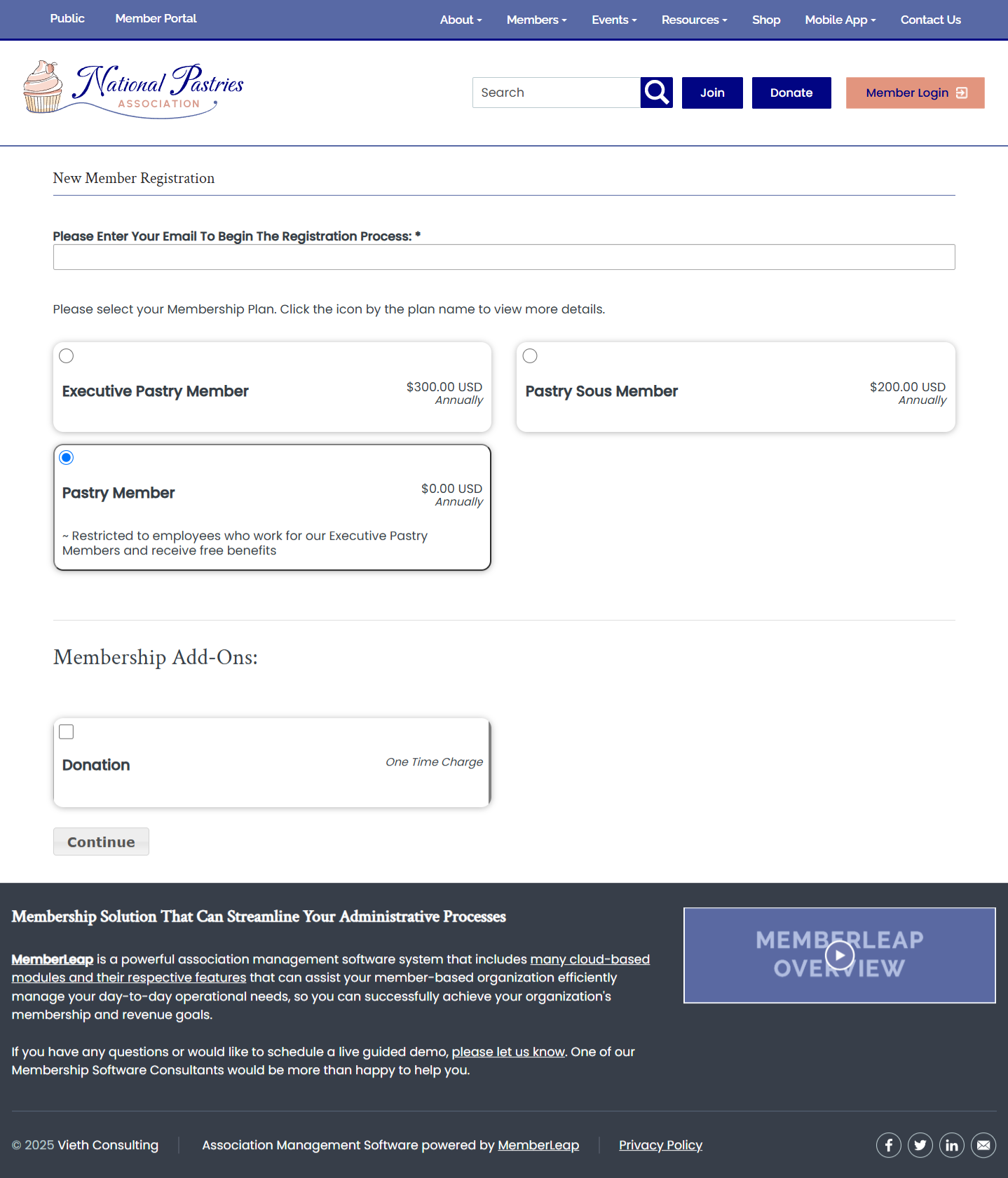
New Member Registration
- Online Member Registration - allow new members to join online and pay dues via credit card.
- Member Agreement - require agreement to a legal document before allowing a new member to sign up.
- Welcome Message - customize an automatic welcome message for new members.
- Pending Approval - optionally, pend new members for approval.
- Discount Codes - offer discount codes during membership drives.
- Membership Plans - offer differently priced membership plans with different terms - lifetime, honorary, multi-year, annual, bi-annual, quarterly, monthly, discounted student membership, or trial membership.
- Prospect Conversion Tool - in broadcast emails, include a link to constantly remind prospects they can join with 1-click.
- Membership Card and Certificate - give your members access to a digital membership card on their phones that displays their membership status or download a membership certificate to print, frame, and display in their offices.
Member Directories
We offer a variety of standard directory types and formats to present member lists both public and private.
More on Member Directories
Member Data Conversion Process
All of our website packages and integration packages include member data conversion, where we take your member data and load it into the system for you.
Data Conversion Process
×
‹
›
![]()